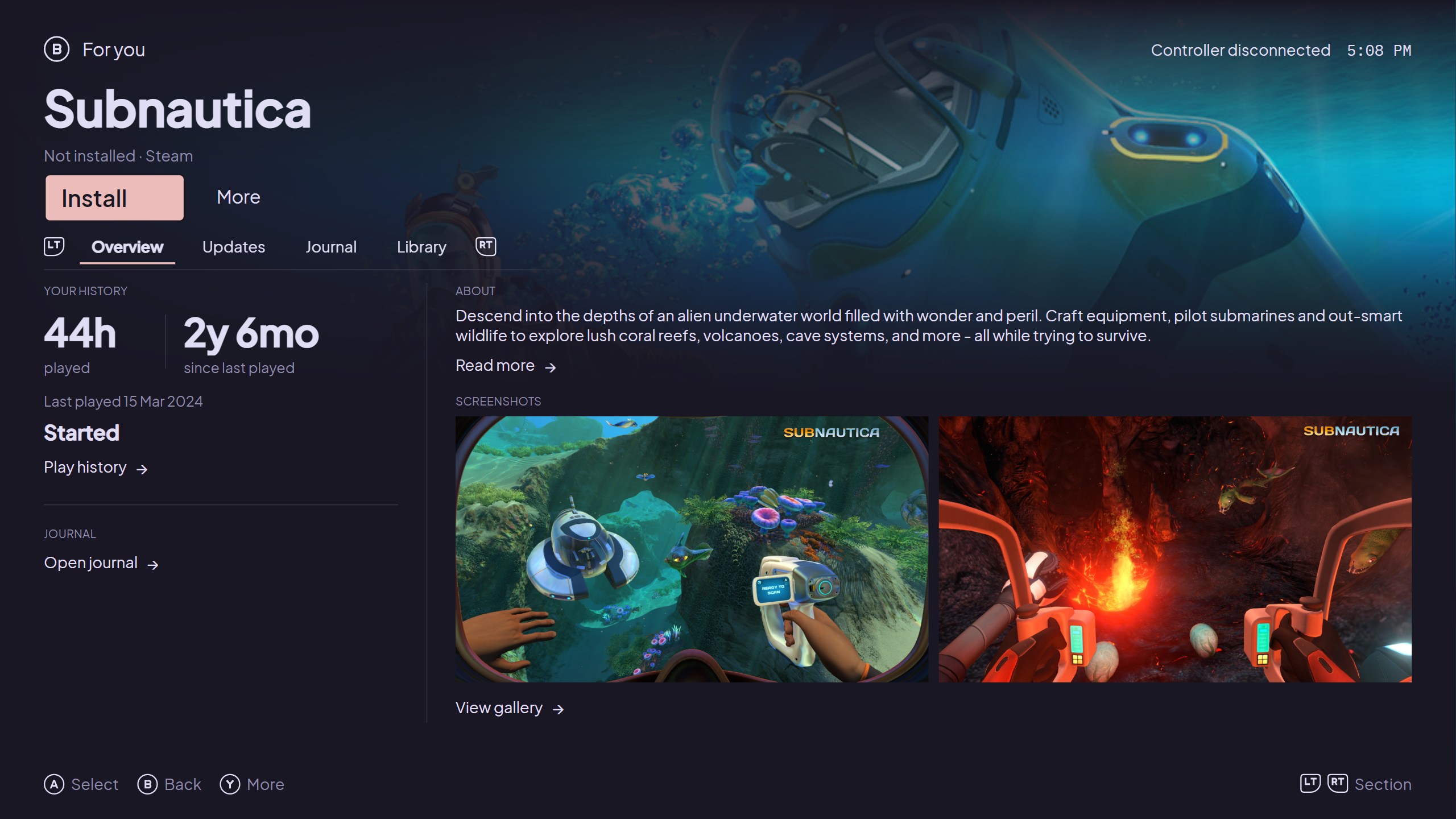
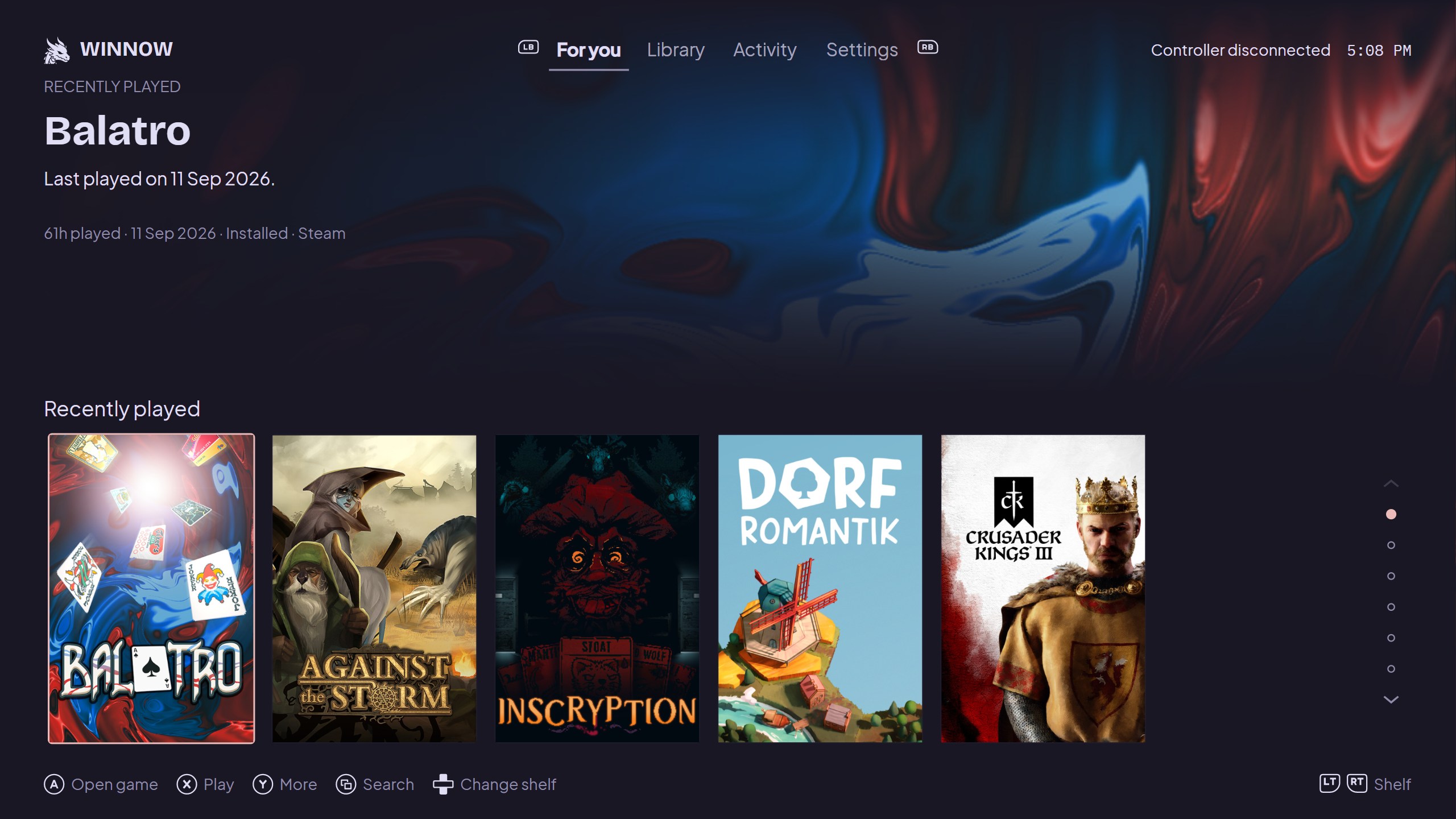
For your Steam, Epic & GOG games

Find the game you meant to play.

Bring your PC games into one library. See what you haven’t played, what’s been updated, and what might be worth picking up again.

No Winnow account. No telemetry. Your data stays on your PC.

Windows & LinuxMouse, keyboard & controllerFree & open source

Why Winnow

A large library is hard to keep track of.

You don’t need another store. You need a better view of the games you already have. Winnow uses your play history and game updates to help you choose.

Hover, focus, or tap a cover

At a glance

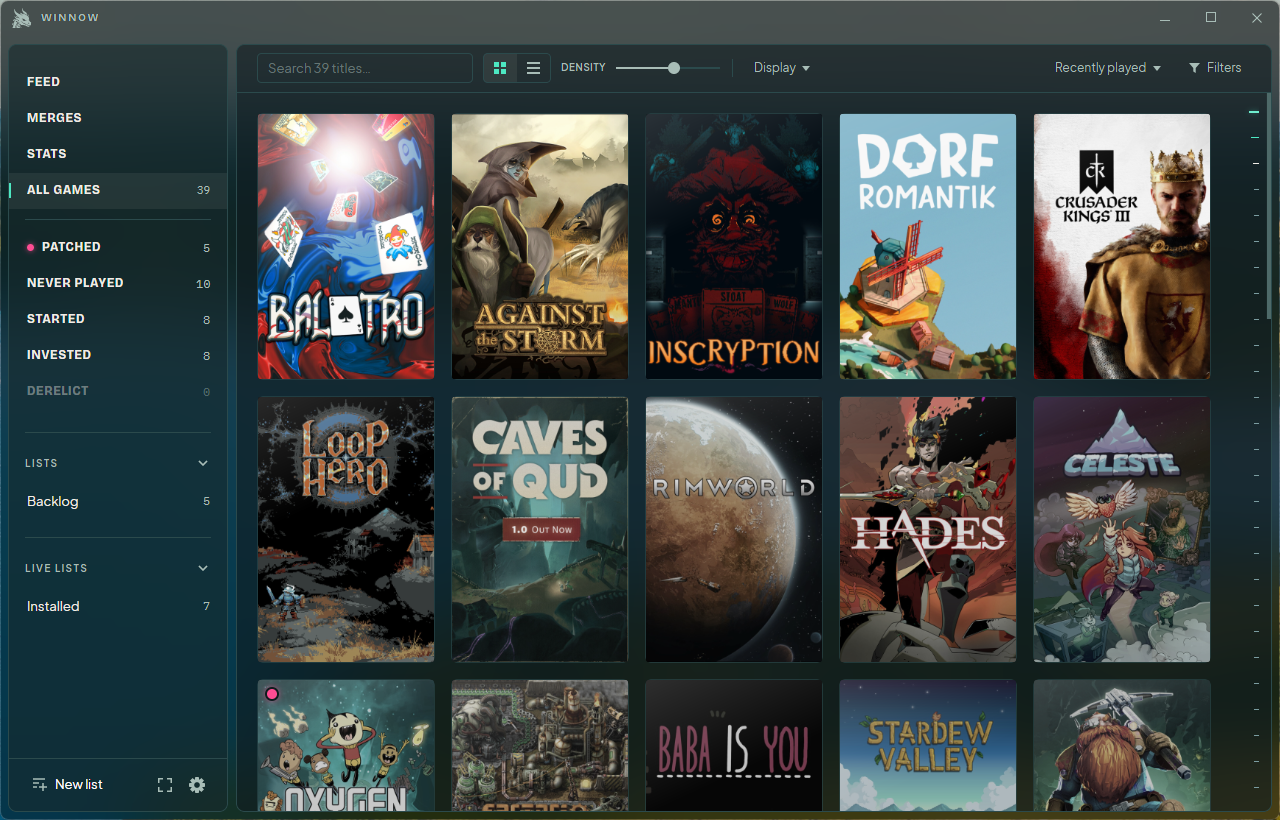
See what you haven’t played lately.

Games fade as time passes since your last session. Hover or focus a cover to see it in full colour, along with your playtime and last-played date.

It’s a visual cue, not a filter. Your games stay visible, and you can turn the fading off.

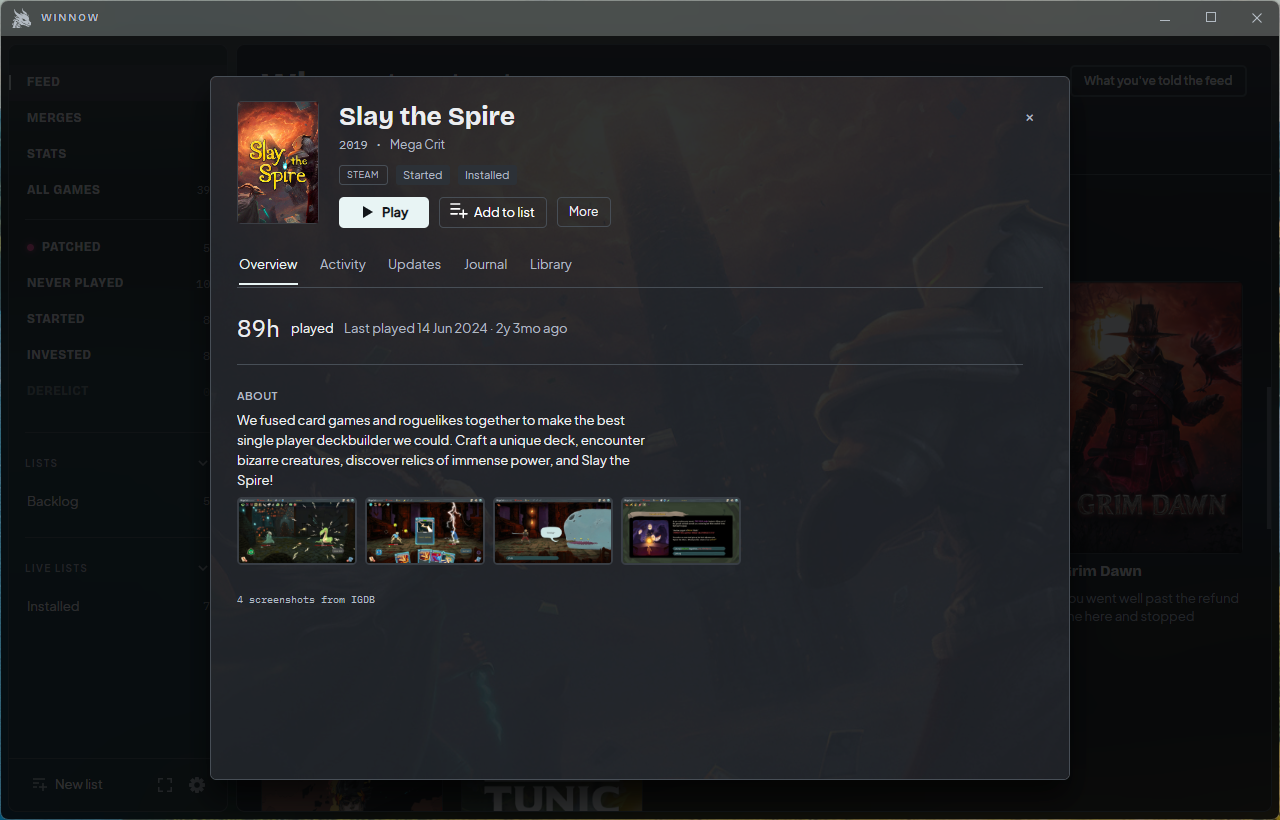
Update since your last session18.2h played · Steam

Select the game to see its update

Update tracking

Find out what changed while you were away.

A pink dot marks unread updates since you played. Open the game to read its update history, then mark it as read when you’re caught up.

The Patched collection brings those games together, so you don’t have to check every store page.

“

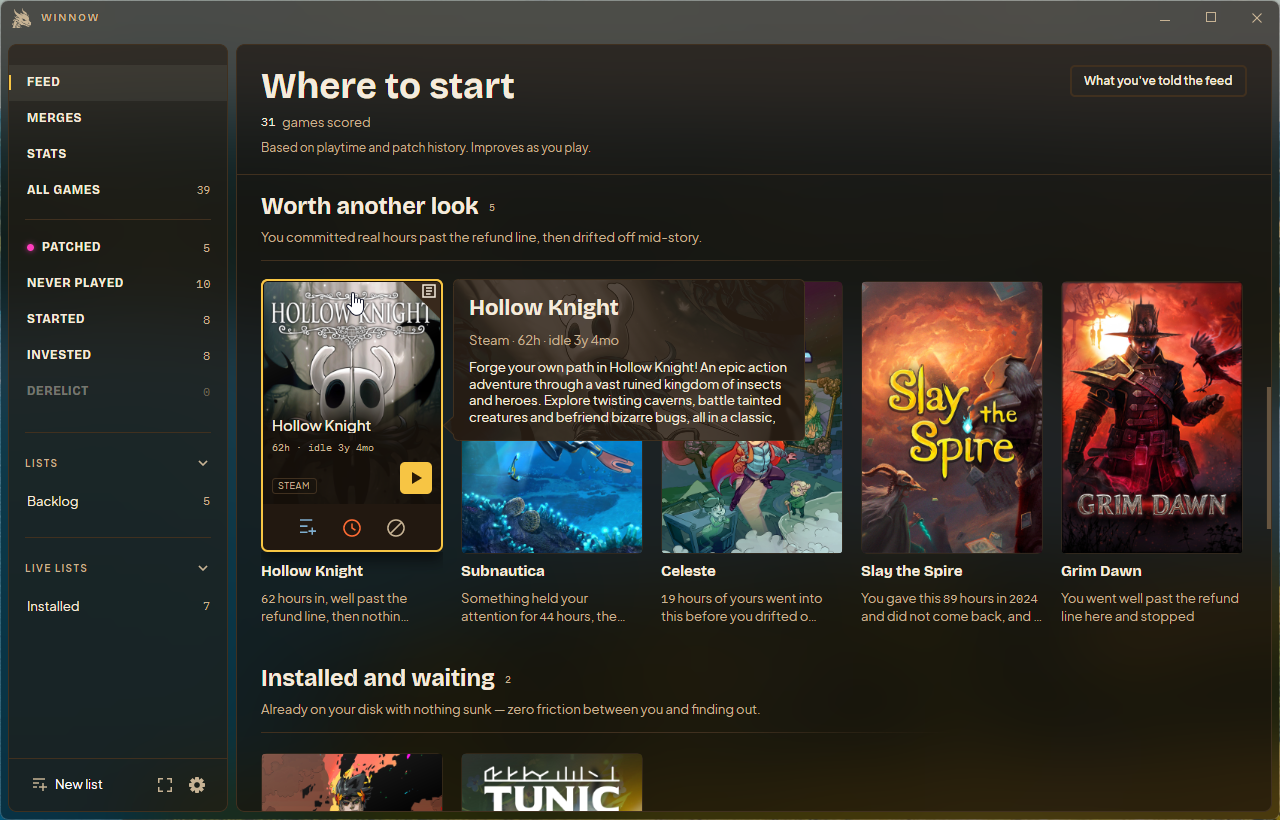
You played for 28.6 hours, then haven’t returned in two years.Based on your play history

Select the game to see the reason

Recommendations

Know why a game is in your feed.

Suggestions come with the facts behind them: how much you played, how long it’s been, and whether the game has changed.

You can decide whether that’s a good reason to return. There’s no need to guess what a score means.

How it works

Start with the library you have.

Keep your launchers. Winnow works alongside them, bringing their games and the history they record into one place.

  1. 01

    Import your games

    Winnow reads the local files from your launchers. Optional Steam and Epic connections can add games that aren’t installed on this PC. Setup explains each connection, and you can skip it for later.

  2. 02

    See what’s worth another look

    The feed considers time played, time away, and updates since your last session. Every recommendation includes a reason. Postpone a game or mark it “Not interested” to shape future suggestions.

  3. 03

    Play, then pick up where you left off

    Launch through Winnow and your usual platform handles the game. Keep Winnow running to record sessions. Your play history, notes, and lists are there when you return.

Organize your games

One collection.
Your way of sorting it.

Browse across platforms, filter down to what you feel like playing, and save a list for later.

Collections that update themselves
Never played, Patched, Started, and Invested give you useful starting points. Live lists keep matching your saved filters.
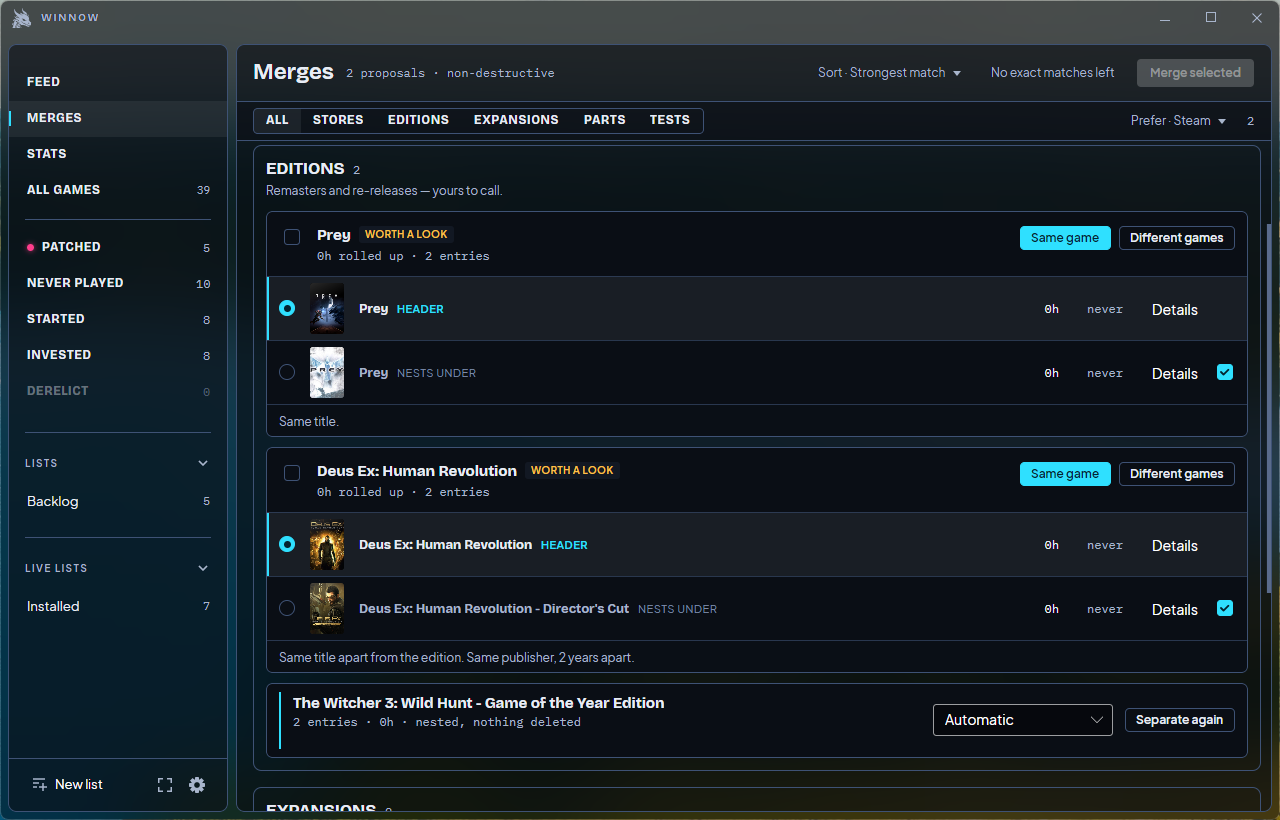
Multiple copies, one game
Group store copies and editions together. Winnow asks you to review uncertain matches, and you can separate them again.
A record beyond hours played
See session history, read updates, and keep your own notes in the game journal.
Winnow showing edition merge proposals for Prey and Deus Ex with Same game and Different games controls
Review editions and store copies before grouping them.

Desktop & fullscreen

Use a mouse.
Or grab a controller.

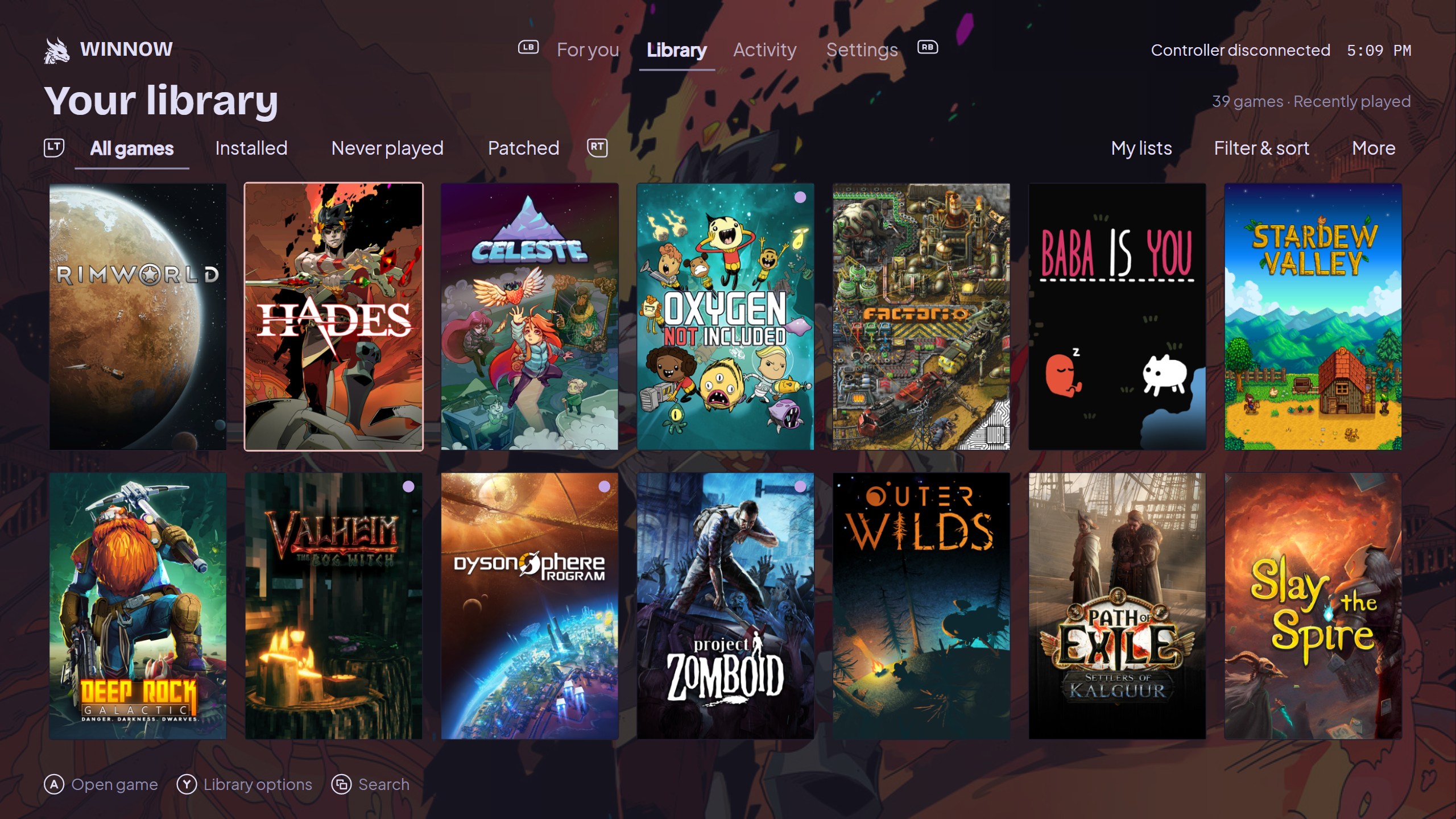
Fullscreen has its own layout for browsing from a sofa or a handheld. It shares your library, lists, and preferences with the desktop view.

Adjust text size, screen margins, and interface scale to suit your display. Choose a theme and fonts that work for you.

Winnow fullscreen library with Hades selected and controller navigation hints
The same library, with navigation designed for a controller.

Before you install

A few practical details.

Does Winnow replace Steam, Epic, or GOG?

No. Your launchers still install and run your games. Winnow gives you a shared place to browse, organize, and decide what to play.

Will it find every game I own?

It depends on what your platforms make available. Local files cover installed and cached games; optional connections can fill in more of your account library. GOG discovery uses local Galaxy data. You can also add games by hand.

What works on Linux?

Local Steam discovery is the best starting point. Linux currently has more limited Epic and GOG discovery and no embedded platform sign-in. The installation guide covers packages and platform differences.

Is there a subscription or a paid version planned?

No. Winnow is free and open source, with development supported by voluntary donations. There’s no plan for a paid version.

How can I help?

Report a bug, suggest a useful improvement, or contribute code and documentation on GitHub. You don’t need to be a developer to give useful feedback.

Ready when your library is

There’s something good in there.

Download for Windows or Linux

Free & open source. Supported by voluntary donations.